
Professional Services
CMA Client Workspace: Connecting the Pipeline, Books and Client Delivery
Coleman Management Advisors - internal operating platform
By Dallas Coleman · Updated
Inside the build
The product. The workflow. The work you can see.
CMA built its own client workspace to connect scheduling, engagement delivery, documents and QuickBooks-synced billing. The operating view brings pipeline and client context together; separate client workspaces carry the work and records associated with each engagement. The screenshots use demonstration data.
- Built for
- CMA-owned product
- Work delivered
- Web Apps · Dashboards · Process Automation
CMA client workspace: operating overview, finance and documents
A screenshot walkthrough of the operating overview, finance and documents. Figures shown are demonstration data, not CMA performance results.
Read the video description
- 00:00 — The dashboard brings the firm operating view into one workspace. Displayed figures are demo data.
- 00:06 — The finance view groups billing and cash information without presenting demo figures as business results.
- 00:12 — The documents view brings contracts and signature status into the engagement workspace.
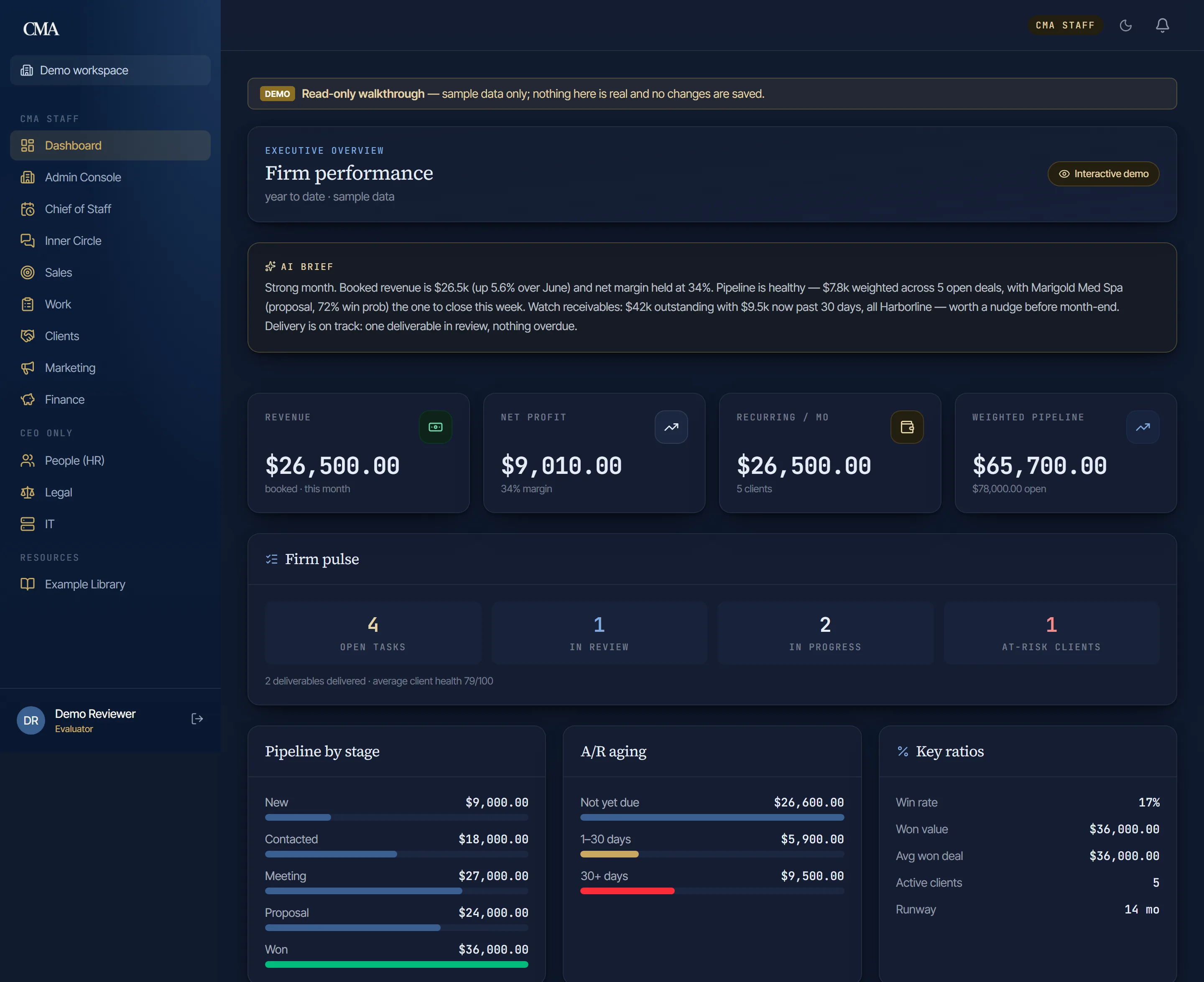
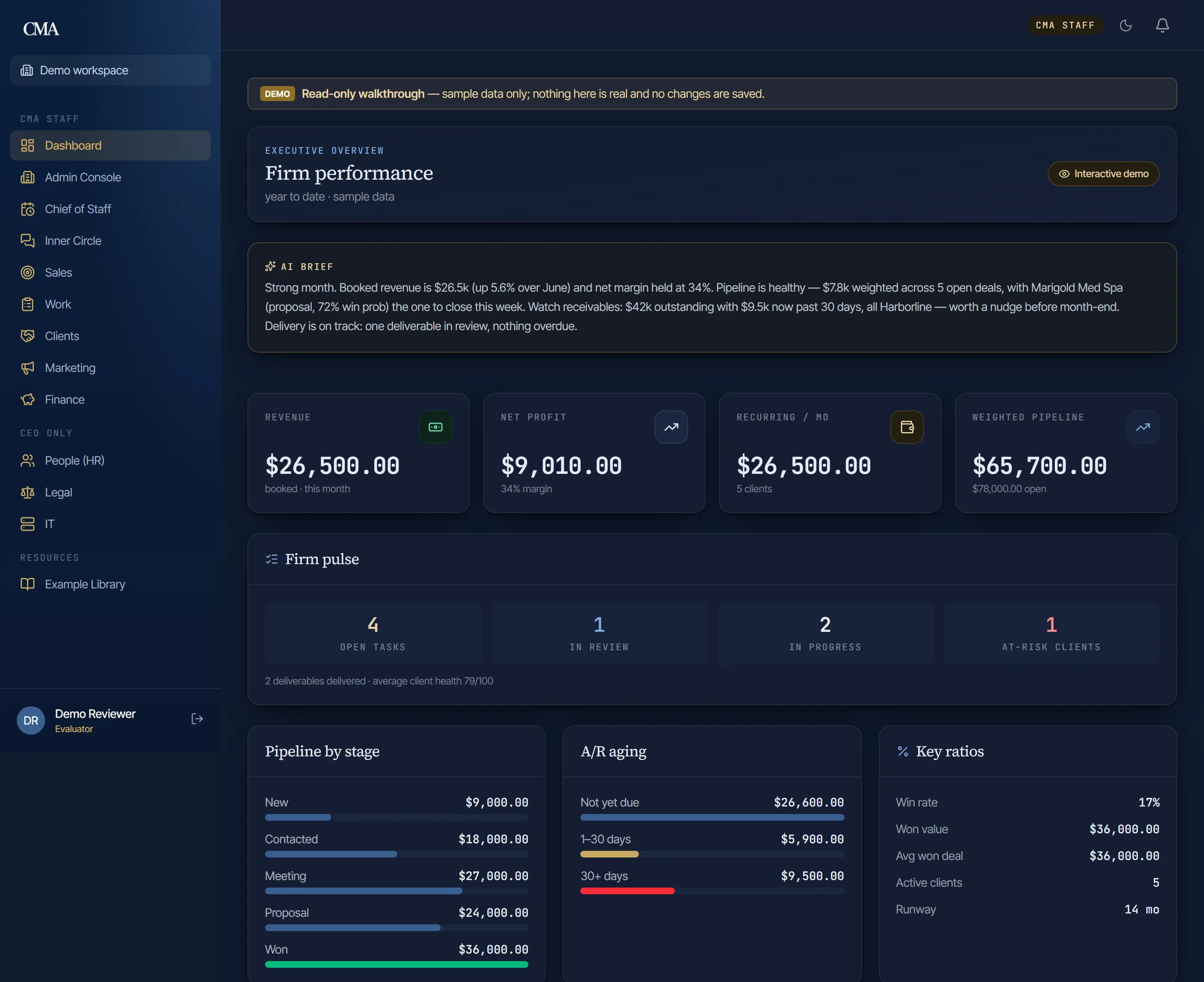
Exhibit 01
The dashboard every engagement reports into — revenue, margin, pipeline and receivables in one view.
Select the image to inspect the full screenshot. Demonstration data, not reported business results.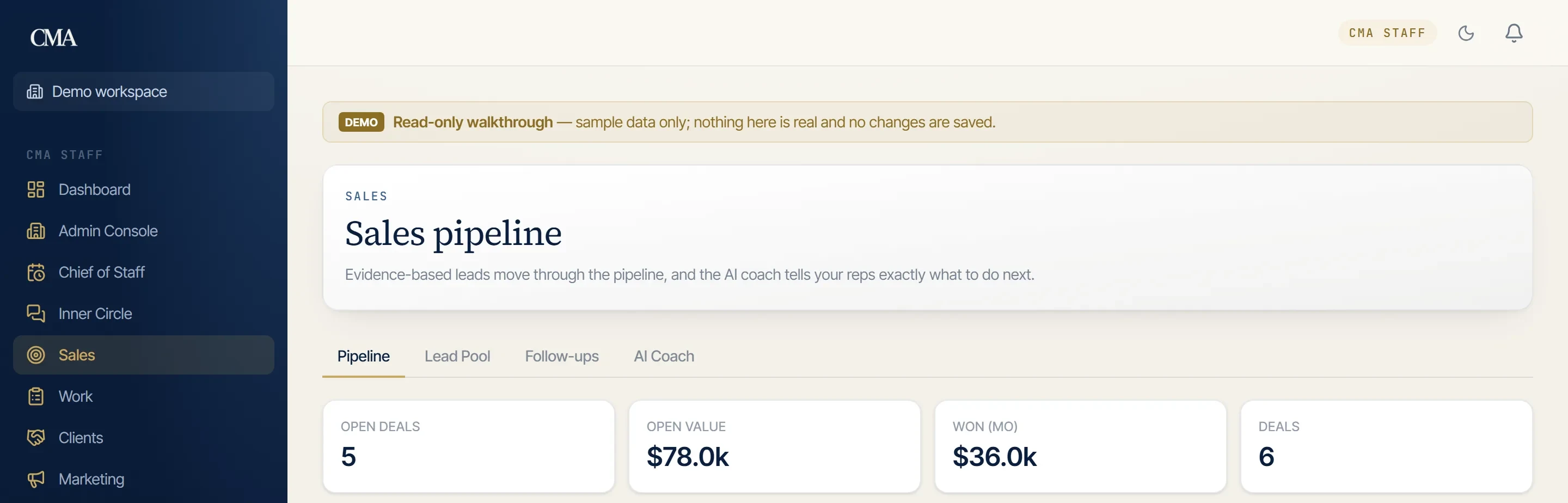
Exhibit 02
Open deals, pipeline value and this month’s wins, at a glance.
Select the image to inspect the full screenshot. Demonstration data, not reported business results.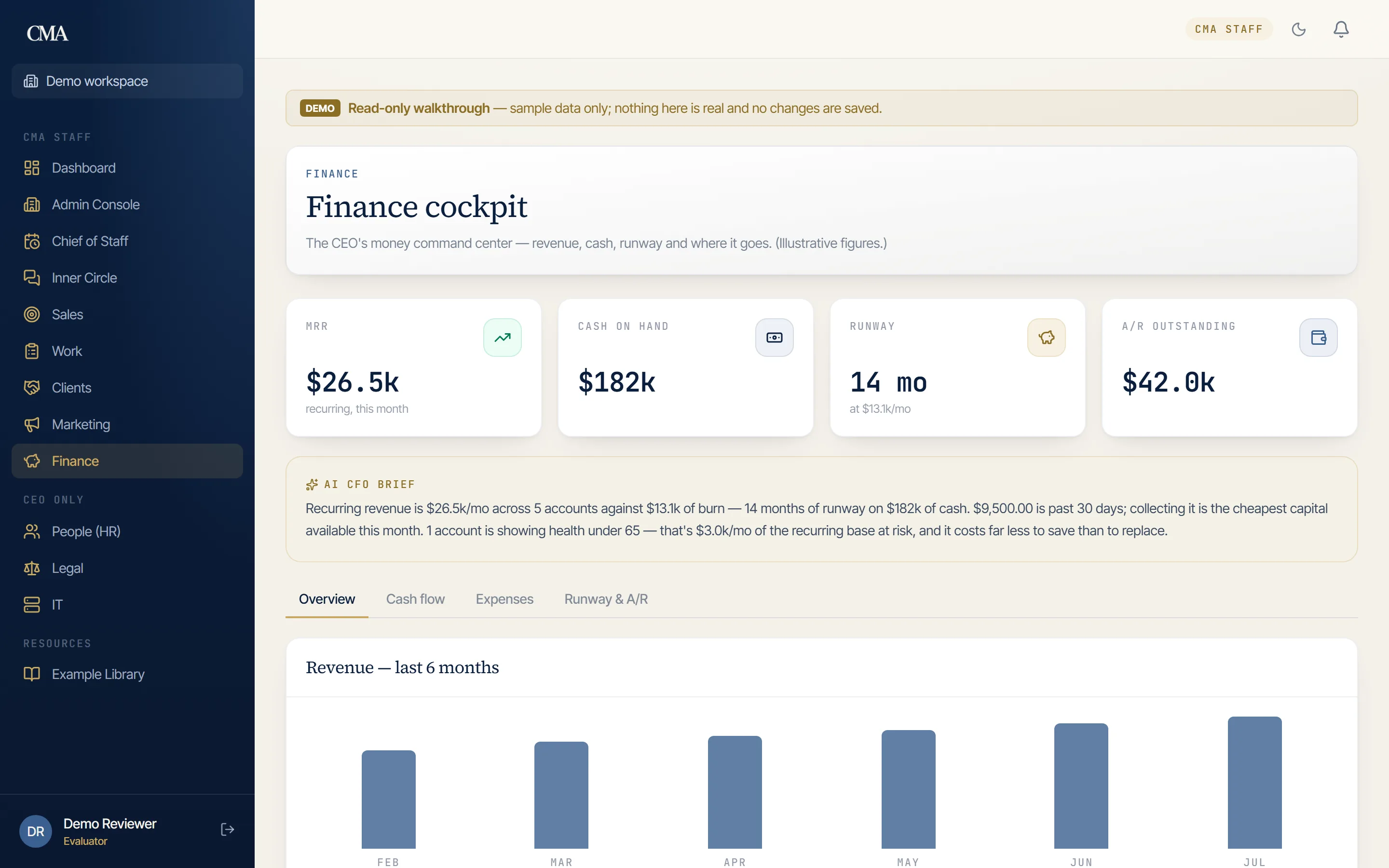
Exhibit 03
Invoicing and payments, synced with QuickBooks rather than re-keyed.
Select the image to inspect the full screenshot. Demonstration data, not reported business results.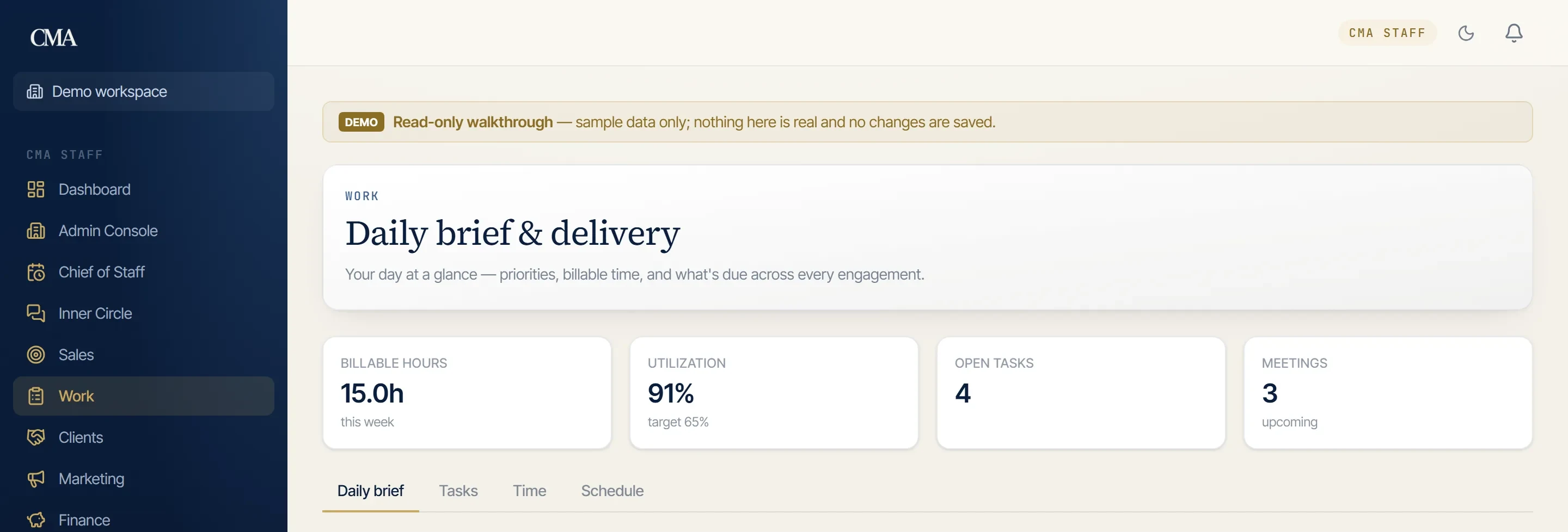
Exhibit 04
The day at a glance: time billed, utilization against target, and what is due.
Select the image to inspect the full screenshot. Demonstration data, not reported business results.The operating problem: reconstructing the engagement every time
A client asks about a document, a meeting or an invoice. The answer exists, but its pieces are spread across scheduling, email and accounting tools. The advisor has to reconstruct the engagement before responding.
That was the problem behind CMA’s internal build. The firm needed a workspace for the work itself, not simply a new dashboard placed over disconnected records. Scheduling, delivery and billing had to refer to the same client context.
This case is deliberately an internal operating-system example. CMA built and runs the product for its own firm. The screens are cleared demo captures; their numbers are examples of how the interface presents information, not reported firm performance.
Start with the operating questions, then build the screens
The dashboard and finance exhibits answer different questions. The operating view organizes the firm’s work and pipeline. The finance view organizes billing and cash information. The documents view exposes contracts and signature status associated with the engagement.
The value of connecting them is not that three screens exist. It is that an advisor can move from the operating question toward the relevant record without treating each tool as a separate account of the client relationship.
| Question | Connected surface | What the system needs to retain |
|---|---|---|
| What is happening in the business? | Operating overview | The context behind the summary |
| Where is an opportunity in the process? | Pipeline | The relationship and next working step |
| What is the billing position? | QuickBooks-connected finance | The accounting record behind the displayed number |
| Which document is waiting? | Documents and signature status | The file and its engagement context |
| What does this client need? | Client workspace | The work and records for that engagement |
Billing: connect the workspace to the books
The portfolio documents a QuickBooks synchronization rather than a second, manually maintained set of invoice figures. The workspace can expose billing context while QuickBooks remains the accounting reference.
This is a common decision in owned-platform work. Replacing every existing system is rarely the useful starting point. First decide which system is authoritative for a record and how the operational workspace will use it. Without that decision, a visually unified dashboard can conceal two conflicting numbers.
The finance screenshot makes the interface inspectable. Its displayed amounts remain demo fixtures; neither the screenshot nor this case turns them into evidence of business growth.
Documents: private engagement records are different from public assets
Client documents and public marketing files have different audiences. The documented architecture separates private per-tenant document storage from public assets and attaches contract and signature status to the engagement.
That is an operating requirement as much as a technical one. A team needs to know which record belongs to which client and whether a document is awaiting action. It should not have to infer the answer from a filename or an email subject.
The documents exhibit shows the resulting surface. The detailed portfolio provides the companion architectural explanation, including the database tenant boundary. This narrative is not an independent security audit or certification.
Realtime communication and recurring work
The published product also includes client/advisor threads that update in the workspace and scheduled work for recurring processes such as retainers, digests, pipeline aging and reporting. Those capabilities reduce the number of activities that depend on somebody remembering a disconnected follow-up.
The meaningful distinction is between a system that displays tasks and a system that has an agreed recurring workflow. Automation should be attached to a specific responsibility and record. A scheduled job without an owner or review path simply moves the uncertainty into software.
What a professional-services firm should take from this example
Map the relationship from inquiry to active engagement, then identify the records the team repeatedly reconstructs. Pick the source of truth for billing, the home of engagement documents and the boundary around each client’s view. Build the minimum connected path through those records before expanding the dashboard.
For one firm the first scope might connect pipeline and delivery. For another it might be the relationship between invoice status and the work in progress. The right scope follows the operating problem rather than the number of screens another product has.
See the CMA Client Portal portfolio for the published architecture and additional exhibits. The corresponding offer is an owned operations platform; process automation covers the supporting integrations and repeatable workflows.
What CMA now owns
The delivered result is an in-house client platform connecting the firm’s operational context, delivery records and billing information. It is a working example of the owned-system approach CMA sells: the product is built around the operating work, with explicit record boundaries. It is not a claim that a particular screen count or software architecture guarantees a financial result.
Engagement details are shared with client permission or presented in anonymized form. Results described are specific to the engagement and client circumstances shown and are not a guarantee of future outcomes. See our full disclaimer.
FAQ
Questions about this build
Is the CMA client workspace an actual client project?
It is CMA’s own internal operating platform, built and run in house. The case demonstrates the approach used for an owned business system; it is not a third-party client testimonial.
What does the workspace connect?
The documented product connects scheduling, deliverables, documents and QuickBooks-synced billing, with operating views for pipeline, client context and finance.
Are the revenue and pipeline figures in the screenshots CMA’s results?
No. The cleared screenshots use demonstration data. They illustrate the interface and workflow, not CMA’s revenue, customer count or a measured business improvement.
Related engagements
Free Starter Kit
Write the first SOP this week.
The SOP starter kit: the five things every procedure needs, a worked example you can copy, and a blank template, so what lives in your head becomes something the business can run on.
- The five parts every SOP needs
- A worked example: new client onboarding
- A blank template to copy per task
- Where to start: the 3-5 tasks that break when you are away